Just a reminder, there is no coding class at Saint Kentigern College on Monday 12 March – as per the schedule – but we’re back the week after (19 March).
Great to see everyone enjoying their coding last week:
Just a reminder, there is no coding class at Saint Kentigern College on Monday 12 March – as per the schedule – but we’re back the week after (19 March).
Great to see everyone enjoying their coding last week:


 For those of our students using Unity, you can download the software to practise your coding at home. The class tutor Ken Ward’s prepared a quick guide to doing this, as follows:
 Using the thumbdrive
Open the thumb drive and navigate to \Installers\Unity.
Without using the thumbdrive
Alternatively, you can download and install from: https://unity3d.com/get-unity/download
Create an account
When using Unity for the first time you will need to create an account. Just use the personal/free licence as this is free for students.
Visual Studio will also ask you to make login or create a Microsoft account, but you can just skip this as an account is not required. When installing Visual Studio make use to select the Unity Tools Option and uncheck the option install Unity 2017.2.0f3 which will appear after selecting unity tools.
We hope this helps. If you’re having trouble with this process, get in touch (info@codechampions.nz) or ask Ken at a class, and he’ll be happy to help.
The Code Champions team
Yesterday’s inaugural classes at St Heliers School completed our first full week of Term 1.
It was another great afternoon of coding. The two groups of eager coders really got stuck in, exploring and creating code, and manipulating 3D images. (The Year 8 class was away on camp, so will kick off next week.)
Run by Peter Miller, the class this term is using BeetleBlocks (beetleblocks.com) as the platform for developing the students’ knowledge and understanding of computer programming. They made an awesome start. Well done. Roll on next week.
Check out some of the action from the first session.


On Wednesday, we started our coding classes at Marist College – our first at a girls-only school.
It was great to see two groups of eager coders getting stuck in, exploring and creating code, and manipulating 3D images.
Run by Peter Miller, the class this term is using BeetleBlocks (beetleblocks.com) as the platform for developing the girls’ knowledge and understanding of computer programming. They made an awesome start and thanks, as well, to the senior girls who gave a helping hand.


Photos by Teresa Wilkinson
Yesterday, we started back at Churchill Park School – our sixth term here and the school where Code Champions first started.
There were three great sessions. New students eagerly got their teeth into coding planes, monsters and coloured cubes; our young coders were also quickly back into the groove. Well done.


It was great to kick-off classes at Kohimarama School yesterday – our first ever at the school. Thanks to our awesome young coders. Unity is a coding platform that will be new to most of them. They were great and really got stuck in.
The basics of the lesson were to program an image of Earth to rotate and stars to flicker around it. That was achieved and more. Now they will be working towards creating their own game this term.


 Some of you have asked to find out more about LogicBots, the game created by one of our tutors, Kenneth Ward.
LogicBots is a puzzle game where robots are used to complete the various levels. But first you have to design and build your own unique robot to complete the challenges. It’s a lot of fun. Give it a go!

The website is incandescentgames.co.uk/logicbots.html
The game is available on STEAM at steamcommunity.com/app/290020
You can read more about LogicBots in INTERFACE Magazine at interfaceonline.co.nz/2017/08/02/are-these-the-logicbots-youre-looking-for/
Or watch this independent video reviewer youtu.be/V-NwhcEGm8A
We hosted our first classes at Saint Kentigern College this afternoon. In the excellent surrounds of the Goodfellow Centre, it was great to see the students showing some keen coding skills.
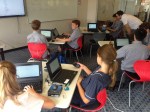


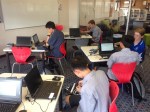
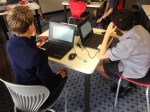

Rotating Earth. Flickering stars. Even a giant penguin in space! Yesterday’s classes at Saint Kentigern Boys’ School were a great way to kick off our coding year.
Using game development platform Unity (unity3d.com/), the groups learned about ways to code images in a 2D virtual environment, making them rotate and flicker.
Thanks to our awesome students for giving it your best. This term you’ll be working towards making a game app of your own. We’re looking forward to seeing what you create.
Classes at Churchill Park School, Kohimarama School, St Heliers School, Marist College, and Saint Kentigern College start next week.


After a successful 2017, we’re excited to get coding again this year – and taking our classes to more schools and more students!
This year, we’ll again be running sessions at Saint Kentigern Boys’ School and Churchill Park School. In addition, we’re expanding to host sessions at four additional schools, as well as adding Secondary students to our classes: St Heliers School; Kohimarama School; Marist College; and Saint Kentigern College. In total, more than 100 students are participating this term.
Everyone participating should have received information about when and where classes will be. If you haven’t, please let us know.
There are a handful of places still available. If you’re interested in signing up – or just finding out a bit more about us – get in touch at info@codechampions.nz

