 We’re delighted to announce we’ll be running a holiday programme in the Term 3 holidays. (Thanks to everyone who’s encouraged us to take this exciting step!)
We’re looking forward to tackling some great projects and are offering three awesome days of coding:
- Dates: Monday 1 to Wednesday 3 October
- Time: 9.15am to 3.30pm (with early drop-off and late pick-up options, see registration form for details).
- Student ages: Years 4 to 8 (in 2018)
- Cost: $300 for the three days, which includes the use of a computer during tuition time.
- Venue: Churchill Park School, Kinsale Avenue, Glendowie, Auckland
There will be three, one-day coding projects for students to complete, including designing and coding a 2D game, and programming a 3D adventure map in Minecraft. Each suits a range of skills and interests, and will introduce them to a variety of programming approaches and experiences. They will rotate and do a different project each day.
 PLUS
PLUS
- Robot Racers: During the day, we’ll have some fun with a speed test for driving Spheros. Students will be challenged to navigate a course in the fastest time they can. With spot prizes for the winners.
- Virtual Reality: We’ll also have some VR goggles available for students to try and experience a virtual reality environment.
Schedule for each day*
- 9.15am: Sign in
- 9.30am: Welcome
- 9.45-11am: Coding session 1
- 11-11.20am: Morning tea
- 11.20am-12.45pm: Coding session 2
- 12.45-1.30pm: Lunch
- 1.30-1.45pm: Group briefing
- 1.45-3.15pm: Coding session 3
- 3.15pm: Review of the day
- 3.30pm: Goodbye and sign out
* Timings may vary. Early drop-off and late pick-up options are also available.
Coding sessions: During each session, there will be periods of instruction mixed with hands-on programming, as well as creating game designs, trouble-shooting bugs and collaboration with other students. Towards the end of the day, we also hope that students will be able to ‘test and play’ each other’s completed projects.
Places are limited: Places are limited (approx 10 per project) and students will be grouped by age/ability. When it comes to offering places we will process enquiries in the order they are received. This is designed as a three-day course and priority will go to bookings for the entire three days. (If we have any spare places, there may be opportunity to book single days at $120 each. Please indicate your choice on the registration form.)
 Bring your own food: Refreshments are not provided (other than water fountains for topping up drinks bottles). Students will need to bring their own food and drinks for morning tea and lunch (and afternoon tea if they’re a late pick-up).
Register your interest
Please follow the appropriate age link below to register your daughter or son’s interest in a place on our holiday programme. (This does not confirm a place or commit you to signing up. We will follow up with further information.) When it comes to offering places we will process enquiries in the order they are received.
If you experience any problems with the form – or have any questions – please contact us at info@codechampions.nz
Please note: We treat all personal information in accordance with the Privacy Act. We do not share information with any Third Parties.


 We’ve launched a Facebook page – hopefully it’ll be another way that we can easily keep in touch and notify you of any news.
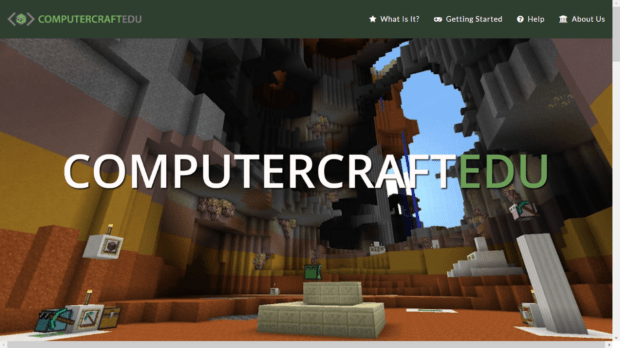 For those students coding in Minecraft with Ken Ward – at Kohimarama School and Saint Kentigern Boys’ School – you’ll need to install a ‘mod’ if you want to be able to continue your work at home.
 Yesterday, we’re pleased to announced that Glen Eden Intermediate School joined the Code Champions family.


 This week was the last for our young coders at St Heliers School (it was a slightly shortened term as we had to avoid a school activity in the last week).
